MCP in your CMS: what changes when AI can access your website content
Legal updates the warranty terms, a product gets a new name or a promotion ends earlier than planned. Fixing one page takes a minute. The hard part is knowing where else that information lives: in articles, FAQs, product descriptions, landing pages from past campaigns and every language version. On a site with thousands of pages, nobody knows the answer offhand, and the CMS search only finds the exact words someone types into it.
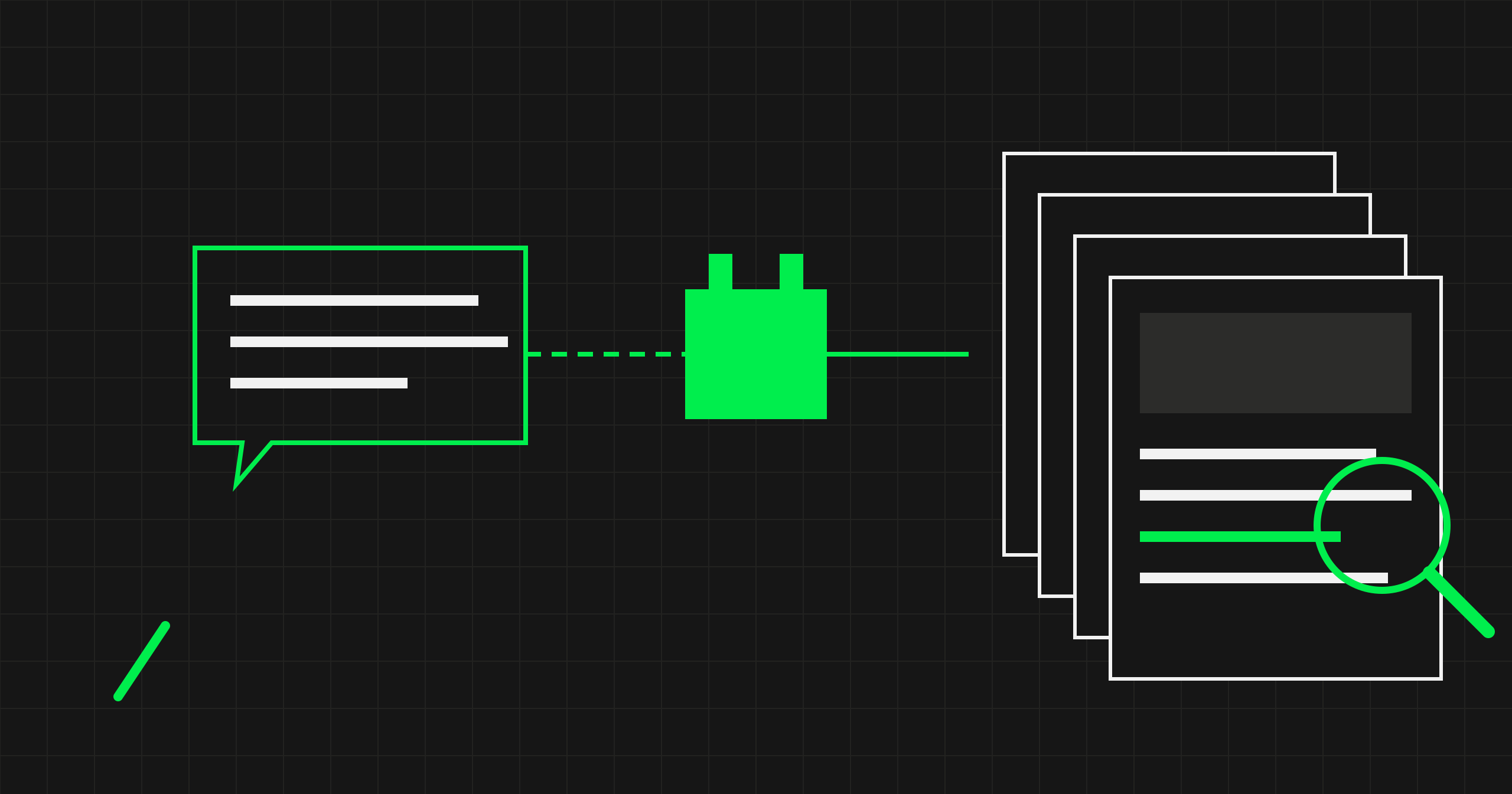
The AI tools most teams use today don't help much here, because they can't see the CMS. To ask about a page, you first have to copy it into a chat window. Model Context Protocol (MCP) changes that: AI gets direct access to the content and data in the CMS, on rules the company sets. We have been working this way for several months on the website of Danwood, a manufacturer of prefabricated houses, which runs on Magnolia, implemented by our team. Below we describe what this approach gives teams working on a website, where its limits are and how to get started.
Key takeaways
- AI connected to the CMS through MCP sees the whole website at once, not just the text you are editing right now.
- It is most useful for checking whether everything adds up across hundreds of pages. Nobody does that by hand.
- New pages come together faster, because the editor starts from a ready draft instead of an empty template.
- Security is built into the server. AI can prepare changes, but it has no function it could use to publish them.
What MCP is and how it differs from AI in the editor
MCP (Model Context Protocol) is an open standard that Anthropic introduced at the end of 2024. It defines how an AI tool can work with other systems: which operations it can use, which data it can read and what it is allowed to change. Since December 2025, the standard has been developed by the independent Agentic AI Foundation under the Linux Foundation, co-founded by Anthropic, OpenAI and Block, among others. A growing number of AI tools support it, so a single MCP server for your CMS works with the different assistants your team uses.
Many CMSs already offer AI features in the editor: a headline suggestion, a text summary, a translated paragraph. That is help with a single field. A connection through MCP works on a different level. AI sees the content model, all pages, product data and language versions, can ask questions about the whole site, and can prepare changes in many places at once.
Some CMS vendors already provide their own MCP servers. For Magnolia, we built one ourselves as a module of the system, because we wanted to decide exactly what AI can do: which content collections it sees, which design system rules it receives and which operations it doesn't have at all. Through this server, an AI tool can:
- search all site content with a single query, including pages, product cards, FAQs, events and every language version,
- read any page along with its layout,
- ask precise questions about the data, for example ‘all products over €1,000 that don't have a German description yet’,
- find images in the media library and look at them before using them,
- assemble a new page or an edit as a draft, from the site's components and following the rules of its design system.
The safeguards are part of how the server itself is built. It has no publishing function, write access can be turned off in selected environments, and people who only need to read can get a version without editing tools. Every change is signed with the account of the person who requested it.

1. Answers to questions about content and data
A team working on a website needs quick answers every day. Marketing is planning a campaign and wants to know how many products from the new collection already have pages in every language. The editorial team is writing an article and needs to check where the site still mentions a discontinued service. Without access to the data, that means clicking through pages or asking a developer for an export.
With MCP, you ask the question in plain language, and AI answers based on the data in the CMS, with a list of products and links to their pages. The same works for checking numbers before they go into a presentation, a campaign or onto the site.
The same mechanism works for images. Media libraries are large, and file names rarely say much. AI searches images by their descriptions, for example ‘team at a table in a bright office’, and shows which pages already use a given image. That makes it easier to choose images for a new page or campaign without repeating the same shots. There is one condition: images need meaningful descriptions, which you need anyway for accessibility and SEO.
2. Content consistency and data quality
This is where MCP delivers the most, because it lets you do something nobody does by hand: review everything.
An example from our work for Danwood. On one house's product card, the knee wall, the low wall in the attic that the roof rests on, was listed as 175 metres high. Instead of fixing one field, we asked AI to check whether this was the only such case. In about 25 minutes, it reviewed the data of 230 houses and found 120 places where the data most likely didn't add up: from room areas that didn't sum up to the floor area, through dimensions in the wrong units, to missing information. Each finding came with evidence, its location in the CMS and a rating: confirmed, suspected or missing data.

The same approach works for content. When a number, a name or a rule changes, a single search shows every place where the old version is still on the site, including other languages. Reviews like this can run regularly: errors found during everyday work go into one combined ticket, and an editor prepares the fixes as drafts right away.
Data matters more now that people are not the only ones reading it. The same data feeds search engines that answer with AI and assistants on websites. An error a person overlooks in a table, AI will repeat to a customer in an answer.
3. New pages and bulk changes
Building a page in a CMS takes a lot of clicking: choosing sections, ordering them, adding copy, finding images in the library, filling in SEO descriptions and links. Through MCP, AI does it in one go. The server gives it the page composition rules from the design system: which components can be used where, how to arrange sections and that an image is never added without looking at it first.
What we use it for most often:
- A rich landing page. A page with many sections, images, copy and links usually means a long time arranging components and searching the image library. AI assembles such a draft in one go from a content document: it picks components, adds the copy, finds matching images and checks the links. The editor starts from a ready page and refines the details. Our editor estimates that a page with finished copy takes her 1.5 to 2 hours without MCP and about 15 minutes with it.
- Quick tests of simple pages. When you need to try a new form, component or layout, AI builds a simple test page as a draft in about a minute. Changing one setting, for example the address where form data is sent, is a single edit with no hunting for the field in the editor.
- Bulk content changes. When, for example, warranty terms or loyalty programme rules change, the new information has to reach every place the site mentions it: articles, FAQs, product descriptions and pages in other languages. AI finds all of these places with a single search and prepares the fixes as drafts, which the editor reviews and approves before publishing.
The quality of the drafts depends largely on the instructions AI receives. It is worth writing them together with the designer and the editorial team: which components serve which purpose, what not to combine, how to treat approved copy. These instructions grow with every page and matter as much as the MCP server itself.
4. Content analysis and planning
When planning content, it is easy to rely on a feeling that ‘we probably have something on that’. Through MCP, AI can inventory a selected part of the site in a few minutes, for example the knowledge base, with titles, SEO descriptions, publishing status and last-modified dates. That inventory can then be mapped to customers' questions and concerns and to the stages of their decision. You can see which topics are covered well, which are missing and which articles have disappeared from the site even though they are still in the CMS.
It gets most interesting when you add what customers actually ask about: on-site search queries, questions from forms or chat conversations. AI checks whether the site answers those questions and points out the gaps. The content plan is then based on customer needs.
What to watch for during implementation
- Confirmation only for irreversible operations. If AI asks for approval at every step, people start clicking without reading within minutes. It is better to require confirmation only for things that are hard to undo, such as deleting a page. Changes in drafts can be undone, so they don't need to wait for approval.
- Clear signals about incomplete results. MCP servers limit the size of their responses. When a result is truncated, AI has to know it, or the report will be built on part of the data and nobody will notice.
- A clear distinction between environments. When AI has access to both a test and a production environment, the server should state in every response which one it refers to.
- Instructions hidden in content. AI reads everything in the CMS, including text into which someone could insert instructions for the model (so-called prompt injection). That is why high-impact operations such as publishing stay out of AI's reach, and every change goes into a draft that a person reviews.
- Field names that make sense without context. AI doesn't know your team's informal conventions. If a field's label says something different from what the field does, AI will choose wrong. Clear naming also helps every new person on the team.

When MCP in your CMS makes sense
Sites with a lot of frequently changing content gain the most: hundreds of products with technical data, a knowledge base, several markets and language versions. Manual review is impossible there, and mistakes are costly, because customers make serious decisions based on the site.
For a small site with a dozen or so pages, the benefit is smaller, because the editorial team knows it by heart. In every case, the prerequisite is a well-structured content model. If data is entered as one long block of text instead of separate fields, AI will struggle with it too.
How to get started in your company
- Start with read access. Search, data checks and content inventories deliver value from day one and change nothing on the site.
- Write down the rules before you give AI write access. What AI does on its own, what only as a draft, where human approval is required. Leave publishing to people.
- Prepare your CMS for a second reader. Clear field names, image descriptions and consistent content types help AI just as much as a new team member.
- Measure on real tasks. Pick one repetitive job, such as building similar pages or checking product data, and compare how long it takes with and without AI.
Frequently asked questions (FAQ)
How is MCP different from the AI features built into a CMS?
Editor features help with a single field or a single page. MCP gives an AI tool access to the entire CMS, so it can answer questions about the whole site, compare content across pages and prepare changes in many places at once.
Can AI break something on the website?
That depends on how the server is built. Ours has no publishing function, and deleting a page requires human approval. An editor reviews every change before it goes live.
Does our CMS need a ready-made MCP server?
No. Some vendors already provide one, and for others it can be built if the CMS has a good API. That is what we did for Magnolia.
Do we need to change our CMS or publishing process?
You don't need to replace the CMS or the publishing process. A module with the MCP server is added to the system, usually along with some cleanup of the content model, such as clear field names and image descriptions.
Let's talk about AI in your CMS
If your team spends hours searching, checking and clicking through content, we'll show you what working with AI connected to your CMS looks like, using Magnolia or the platform you already use. See also how we prepare CMS platforms to work with AI.